


AI-agent video editor for Windows

Your words.
Your timeline.

Tell PandaCut’s built-in agent what you want in plain language. It makes the cuts, cutouts, color, subtitles and voiceover on your real timeline. Every step is visible and undoable, and you can keep editing by hand.

v0.9.1 pre-release / Windows 10/11 x64

Orbits with real occlusion / Preview
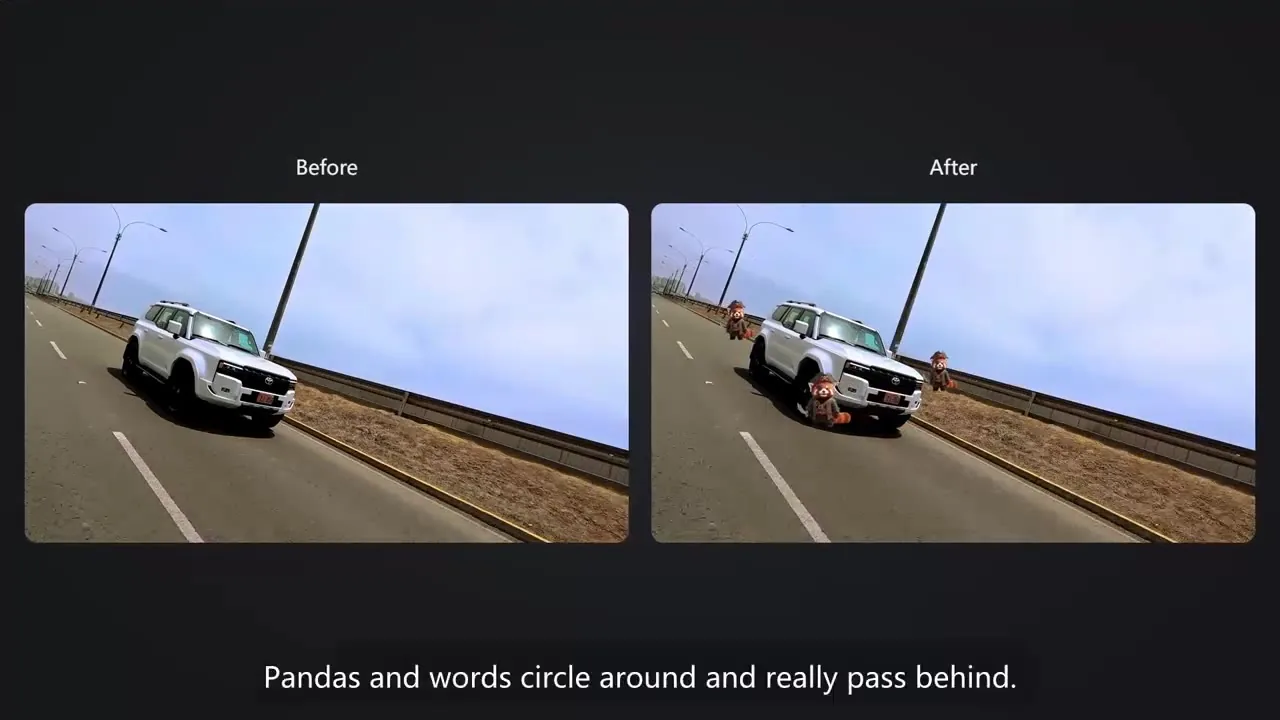
A white car on a coastal road with panda figures orbiting it. Play demo 00:23
A real edit, made in PandaCut: the agent tracks a car and cuts it out, so pandas and words orbit it and really pass behind.
  1. one

    Chat-to-edit

    The agent uses the same editing functions you use by hand. The result lands on a real timeline; it does not generate a brand-new video.

  2. two

    Visible and undoable

    Each step runs on the timeline with an Operation trail cursor replay, and one-step undo is always there.

  3. three

    A pro NLE core

    A frame-accurate multi-track timeline with native GPU preview. Preview and export share one engine.

  4. four

    Drive it from any AI

    An MCP server, an HTTP API and a command line let outside agents operate PandaCut, under the same approval and undo.

Demo films

Six short films, each made with the product.

Our six favorites. Every clip is a real edit carried out by an agent inside PandaCut, some by the built-in agent and some by an outside agent working through MCP or the command line.

How chat-to-edit works

You can see every step, and take any of it back.

The agent doesn’t hand you a finished file from somewhere else. It works on your timeline, in the open, with the same tools you have.

  1. 1

    Ask in plain language

    Describe the edit the way you would to a colleague. The agent answers in your language and plans the work with real editing functions.

  2. 2

    Watch it happen on the timeline

    Each step runs where you can see it. The Operation trail replays the agent’s cursor, so you know exactly what was cut, moved or graded.

  3. 3

    Undo it, or take over

    Step back one action at a time, or pick up the mouse and keep editing by hand. Clips, tracks and keyframes are all still yours.

Confirm mode or Auto mode

Choose how much the agent may do on its own. Paid operations, such as AI voiceover, always ask first.

Follow along

Redo the agent’s steps yourself on a practice copy, and learn the edit instead of just receiving it.

Your models, your keys

The built-in agent works with Claude, OpenAI (API key or Codex sign-in), Gemini and others, using your own key or account.

Drive it from any AI

The editor is open to the agent you already use.

PandaCut ships with a local MCP server, a command line and an HTTP API, so external agents such as Claude Code, Codex or Gemini CLI can operate the editor directly.

Model Context Protocol

panda-director-mcp

A local STDIO server that exposes PandaCut’s editing tools to any MCP-capable agent: timeline, cutouts, depth, tracking, color and frame snapshots.

Command line

panda-director CLI

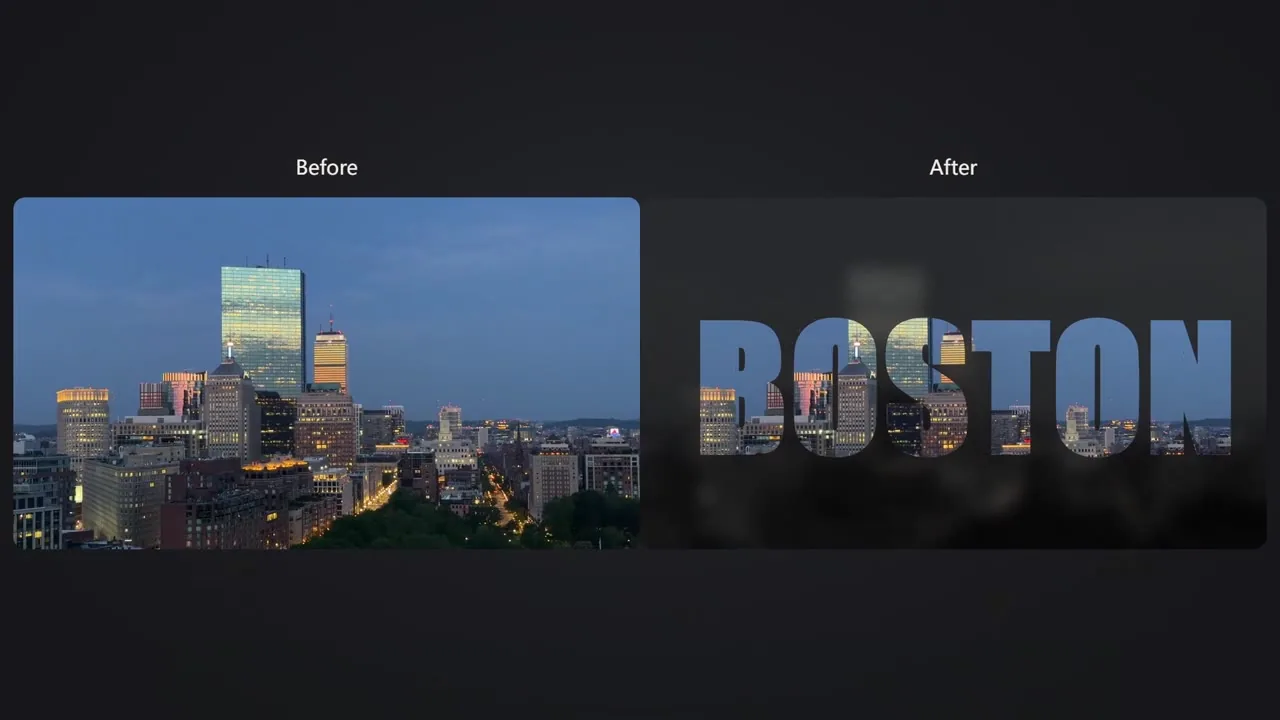
Drive the editor from a terminal. The Boston text-mask opener was built this way, with no MCP at all.

Local programmatic control

HTTP API

The same editing operations over HTTP, for your own scripts and tools.

Local machine

Tool calls from the “Depth-aware effects” demo film (Codex over panda-director-mcp), abridged:

✓ pandacut.editor_inspect_clip_masks
✓ pandacut.editor_start_depth_analysis
✓ pandacut.editor_inspect_depth_analysis
✓ pandacut.editor_copy_clips_to_track
• Analyzing the shot's depth and isolating the
  man on a synchronized foreground layer.
✓ pandacut.editor_start_video_smart_cutout
✓ pandacut.editor_snapshot

Features

A full editor underneath the conversation.

Everything here ships in version 0.9.1, and everything the agent can do, you can do by hand.

Editing

A frame-accurate, multi-track timeline.

  • Cut, move, trim, replace and ripple delete; slide, slip and roll trims
  • Smart shot split, and recut from source segments
  • Smart beat sync to bars and downbeats; speed change
  • Masks: rectangle, star, heart, polygon, pen, text and brush
  • Keyframes, nested sequences and split-screen layouts

AI visual

Effects that understand the shot.

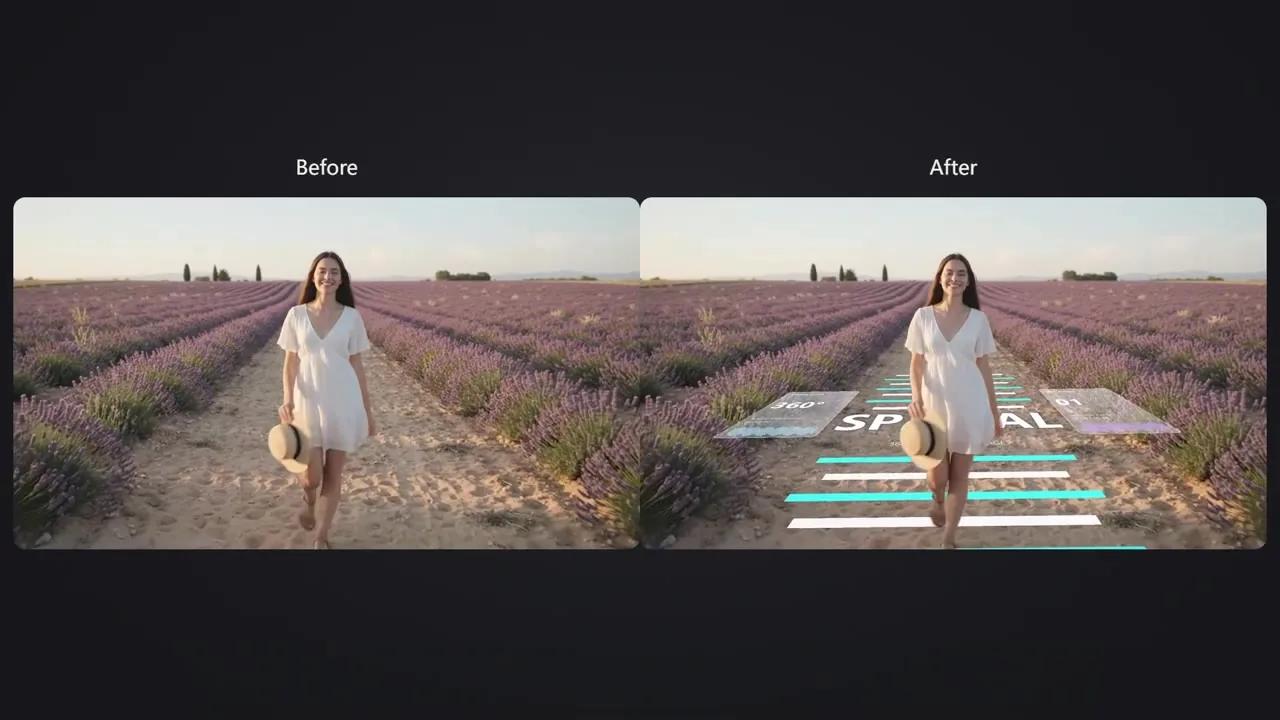
  • Smart video cutout, including text behind the subject
  • Image background removal
  • Depth-driven custom effects the agent writes from one sentence
  • Planar tracking and a 3D camera solve, to place 3D planes in real footage
  • Video enhance

Color

Grading tools, with scopes.

  • Primary and secondary grading, HSL qualifiers, .cube LUT import
  • Match a clip to a reference frame
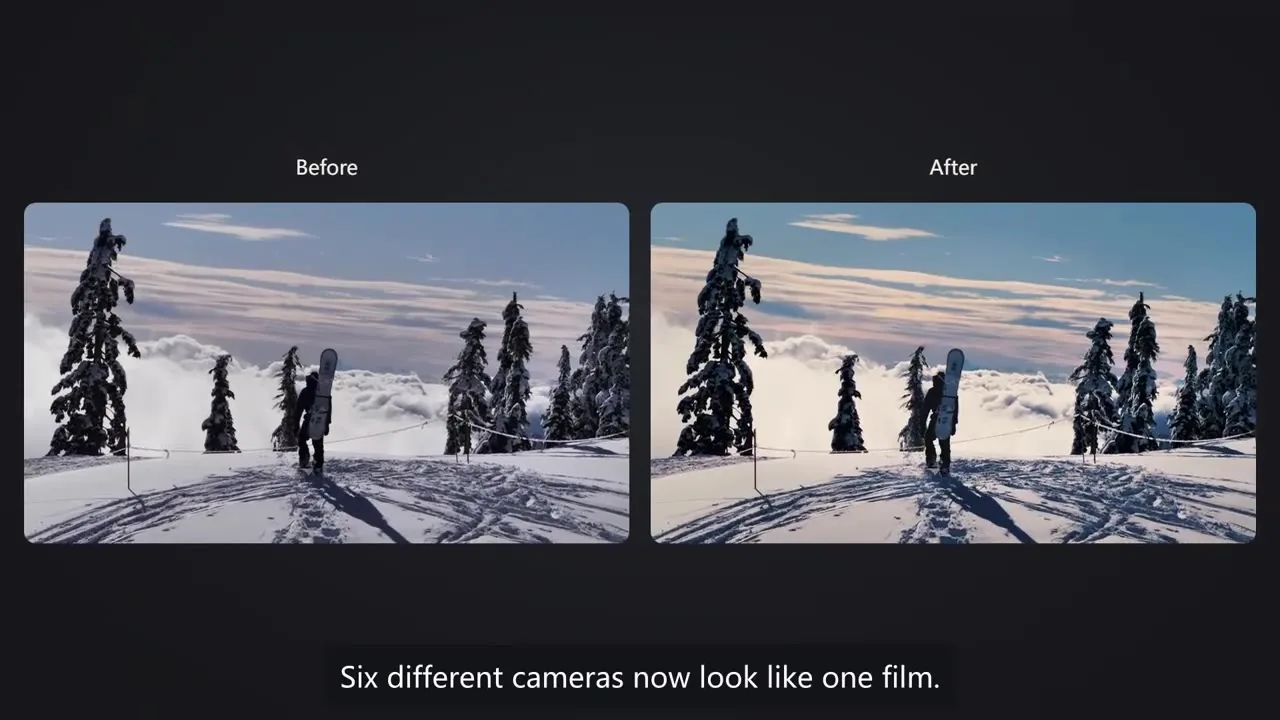
  • Harmonize many clips to one look
  • Secondary grades that follow a person cutout mask
  • Sharpen, denoise, clarity, dehaze; HDR export in PQ or HLG

Subtitles, voice, audio

Words and sound, kept in sync.

  • Auto subtitles from local Whisper transcription
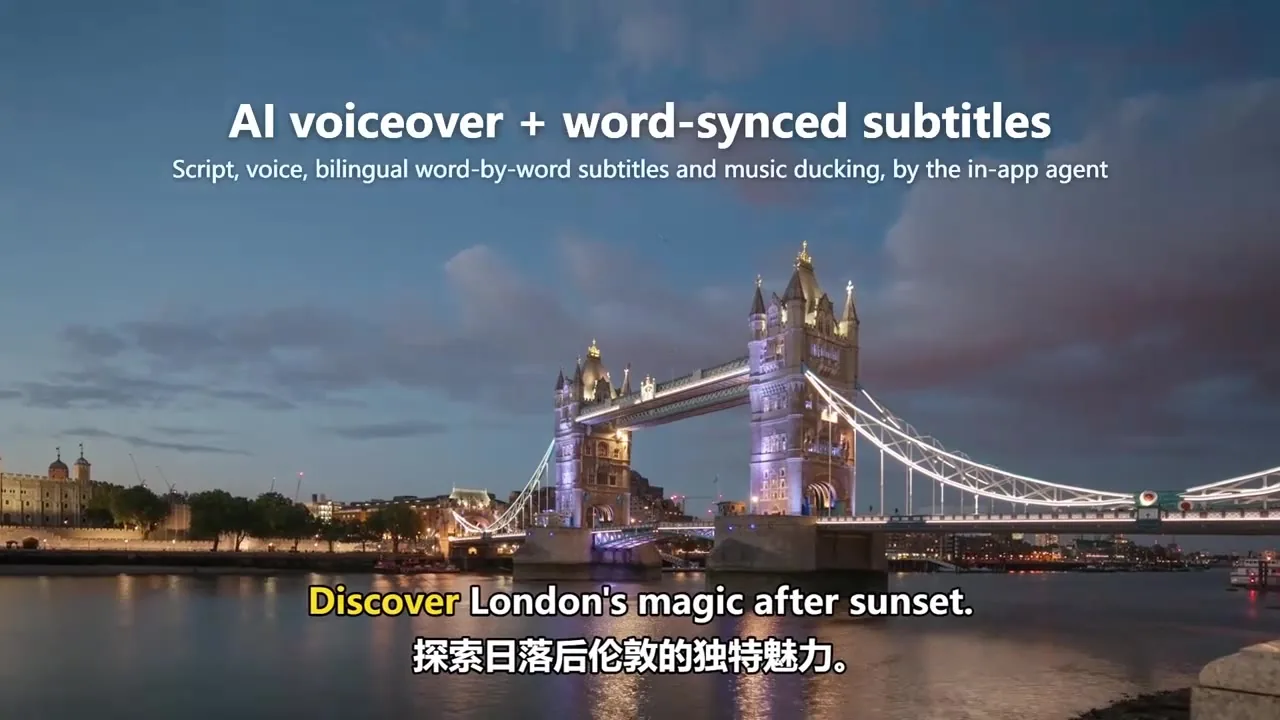
  • Bilingual subtitles, with styles, animation and word highlight
  • AI narration (Gemini TTS, multiple voices) with word-synced subtitles
  • Music auto-ducks under the voice
  • Audio enhance and separation

AI generation

Make the missing piece in place.

  • Images and video
  • Cover images and backgrounds
  • SVG graphics
  • Code motion graphics
  • 3D titles

Agent and control

You decide what it may do.

  • Confirm mode and Auto mode; paid operations ask first
  • Works with several model providers, on your own key or account
  • AI usage page: locally recorded spend, by feature and project
  • Auto backup and project recovery
  • UI skins, including frosted glass and a hand-drawn Sketch skin
A paused frame matches the exported frame.

Preview and export run on the same engine, with native GPU preview. What you approve on the timeline is what ends up in the file.

Status and requirements

Where things stand today.

PandaCut is a pre-release Windows desktop app. There is no public build yet; version 1.0.0 will be the public launch.

Version
0.9.1, pre-release1.0.0 will be the public launch.
Platform
Windows 10/11, x64A desktop application.
Graphics
NVIDIA GPU recommended SupportedCUDA inference, NVENC encoding, native GPU preview.
AMD and Intel
Support in progress In progressBeing built on ONNX Runtime and DirectML. Only instant cutout runs on DirectML today.
Interface
English and ChineseThe agent answers in your language.
AI models
Bring your own key or accountClaude, OpenAI (API key or Codex sign-in), Gemini and others.